Point Specio at a folder or a catalog. It finds each animal in the frame, even the bird hiding in the leaves, names the species and tells you how sure it is.
Fawn-breasted BrilliantEcuador · in range98%
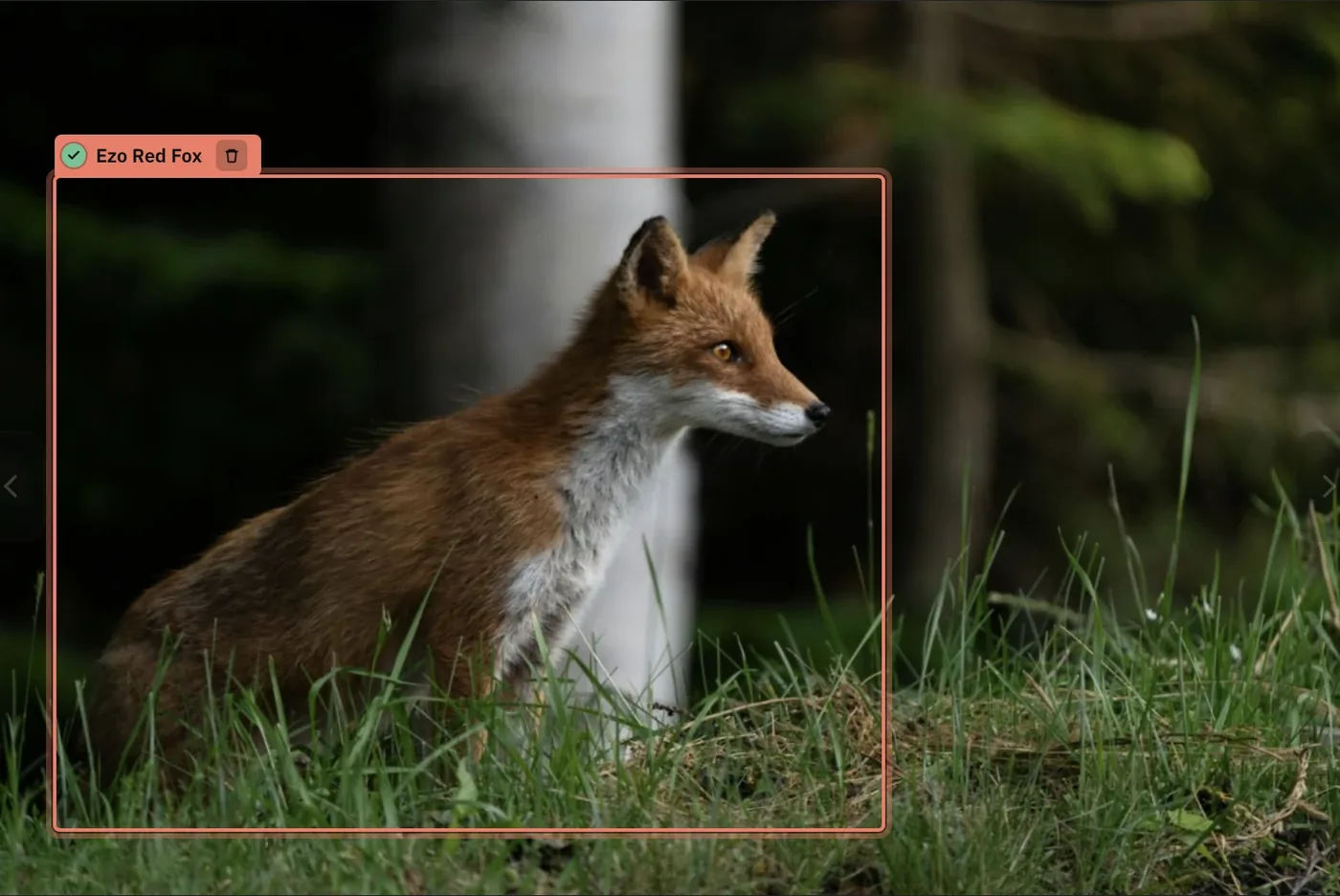
Not just a fox.
A fox from Hokkaido.
Use case · Hokkaido, Japan
SUBSPECIES & NAMES
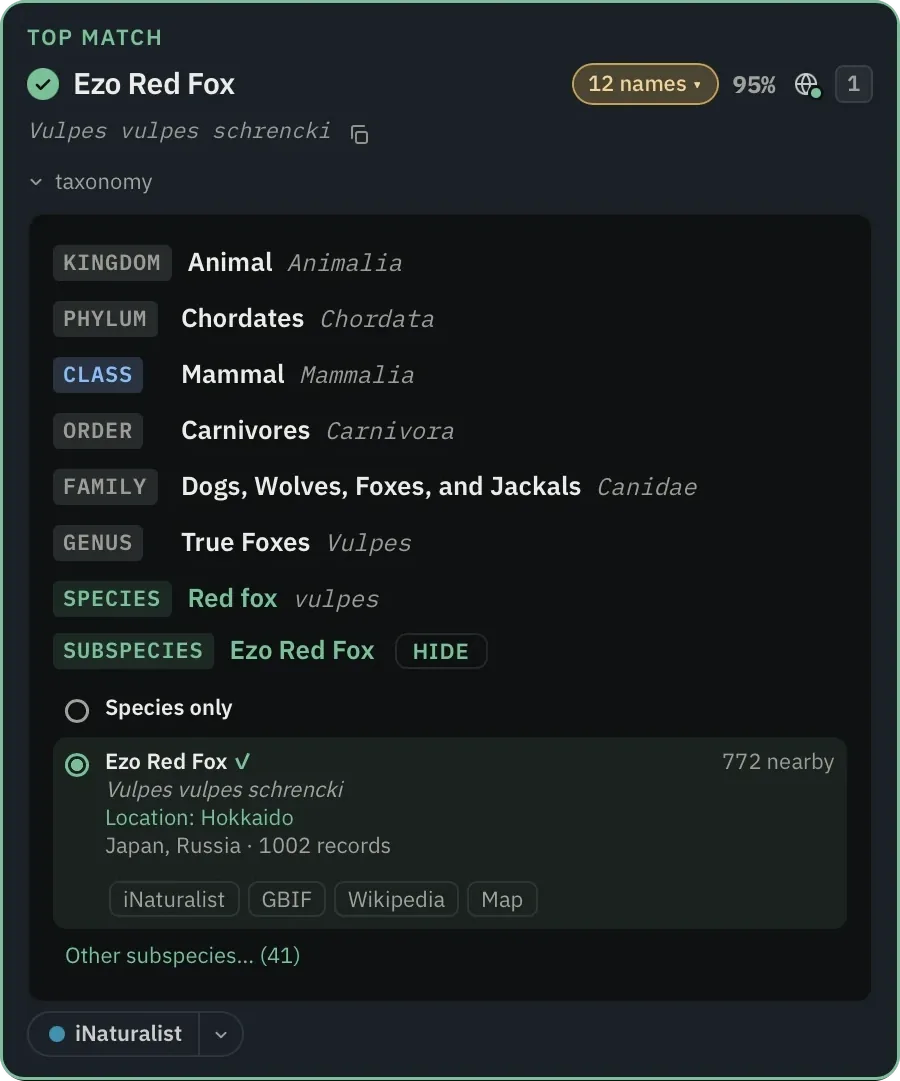
Not just a fox. This fox.
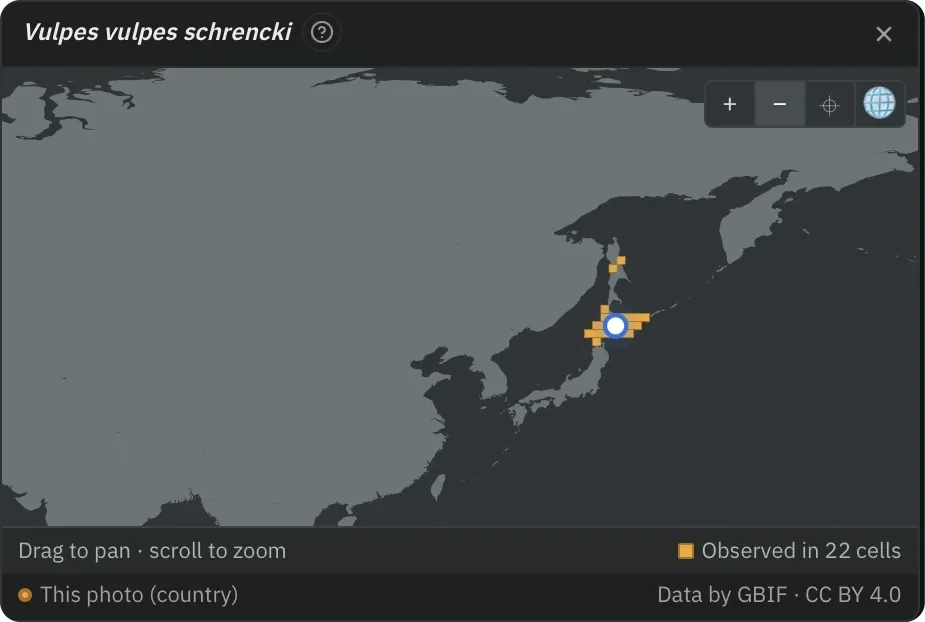
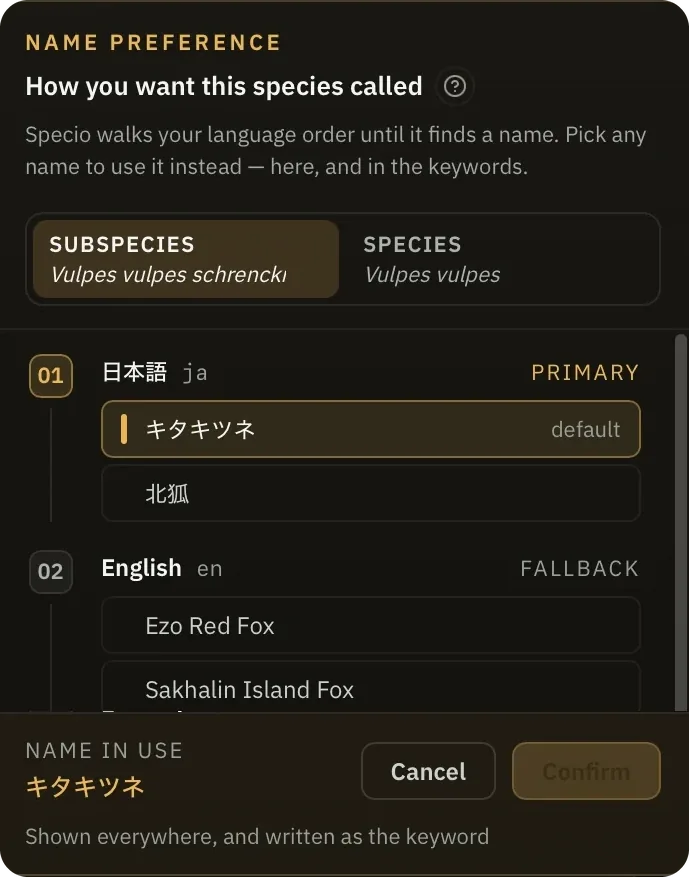
Most tools stop at “Red fox”. Specio goes further. It reads where the photo was taken, checks which forms of the species actually live there, and names the subspecies: here the Ezo Red Fox of Hokkaido. You confirm it in one click. Specio then writes the full lineage into your keywords, in the language you choose, down to the trinomial.
IN LIGHTROOM, THE KEYWORD READS
…›Vulpes›Vulpes vulpes schrencki›Ezo Red Fox
Or ends in キタキツネ if that is the name you picked. It is written once, and corrected for you if you change your mind.
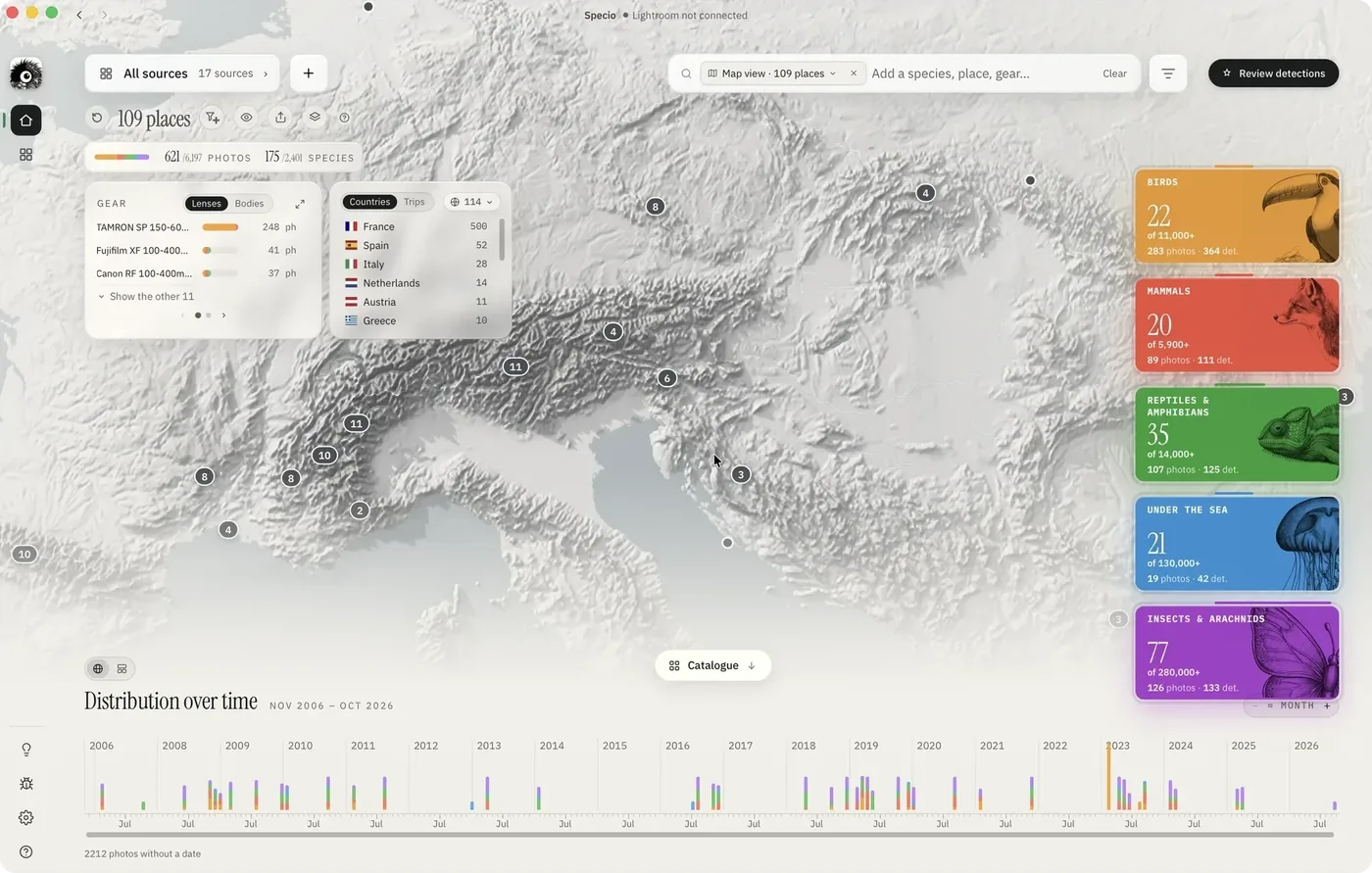
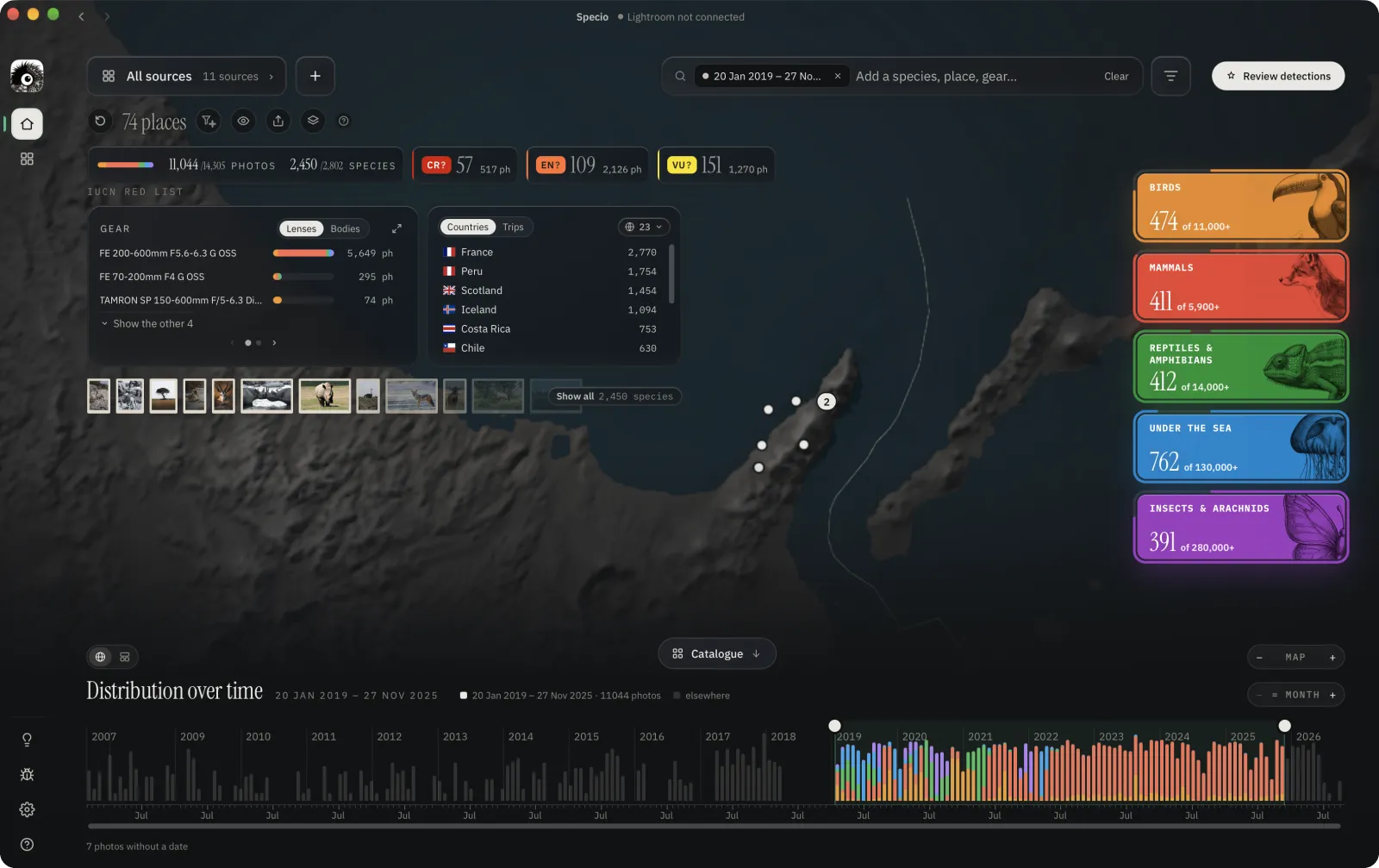
Browse your wildlife photos by species, place, trip and gear.
Stop sorting files. Rediscover where and when you met each species.
01 · MAP
Every place you shot.
All your sightings on a relief map: the countries, the places, the gear you used and the species you met in each one, five families at a glance.
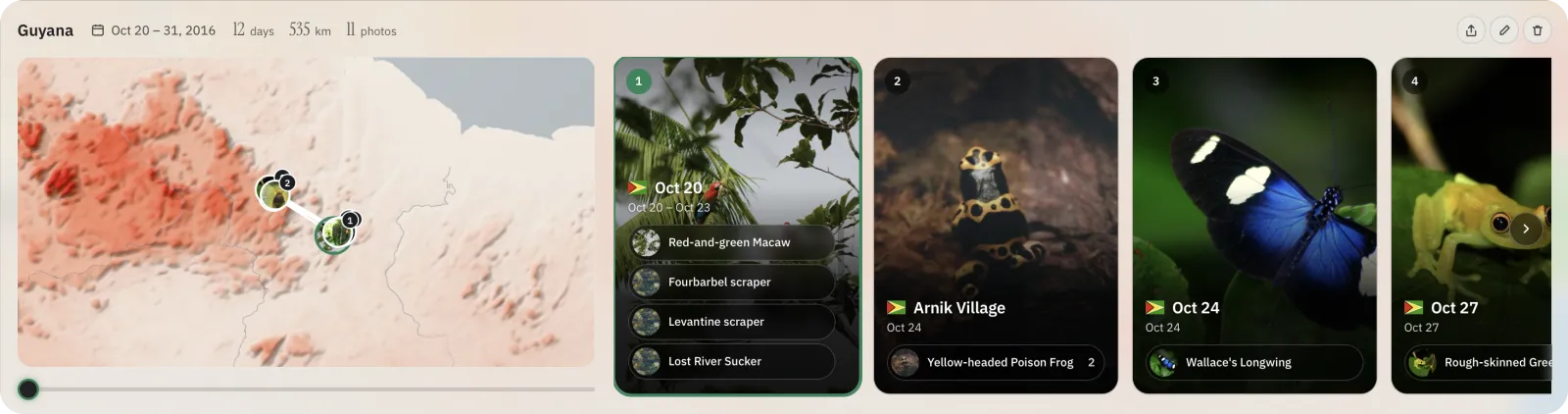
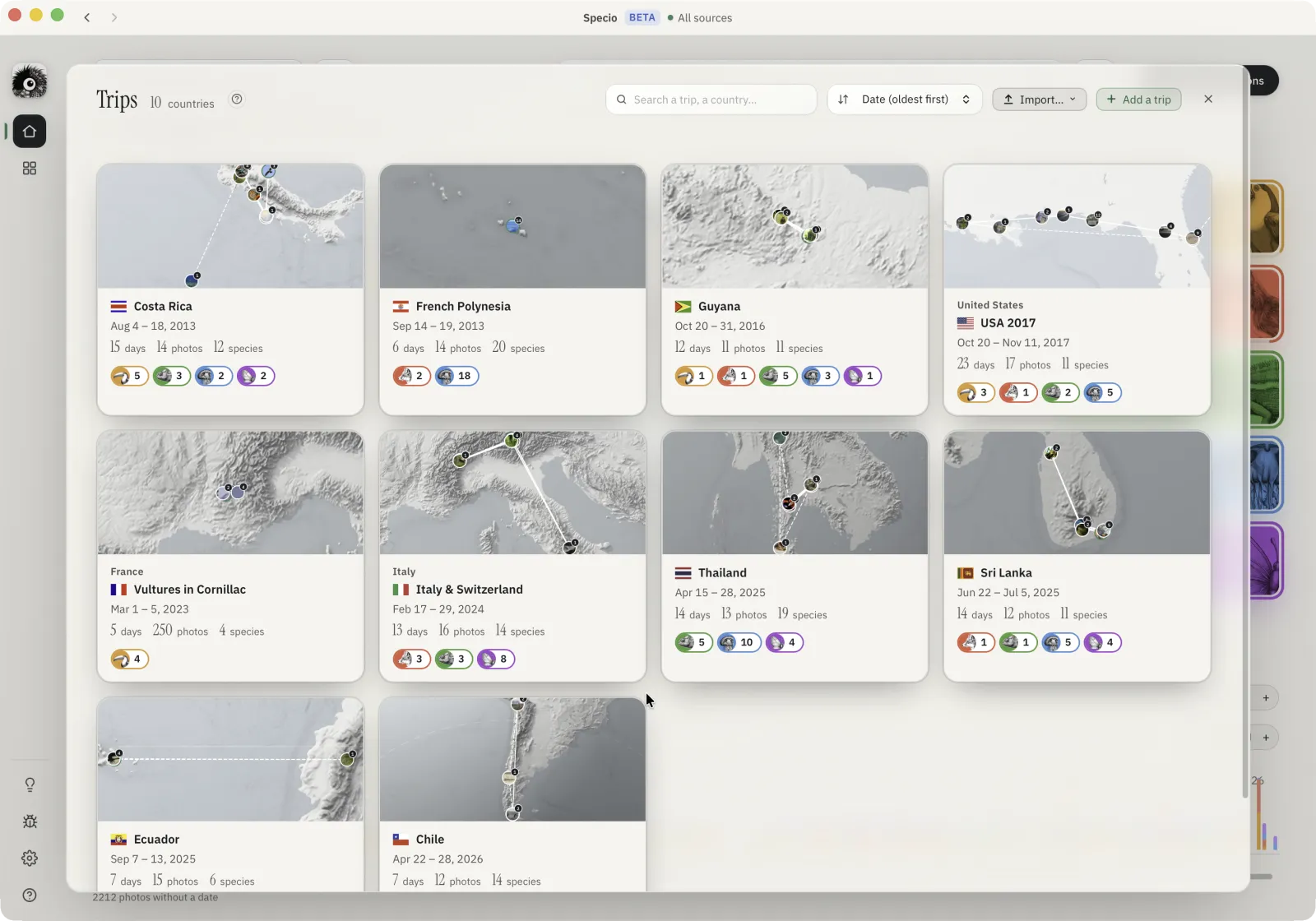
02 · TRIPS
Every journey, relived.
Each trip with its route, days and species, detected automatically or set by dates. Trips sharpen the ID too: a harrier shot in California is matched to the species that actually lives there, not a European look-alike.
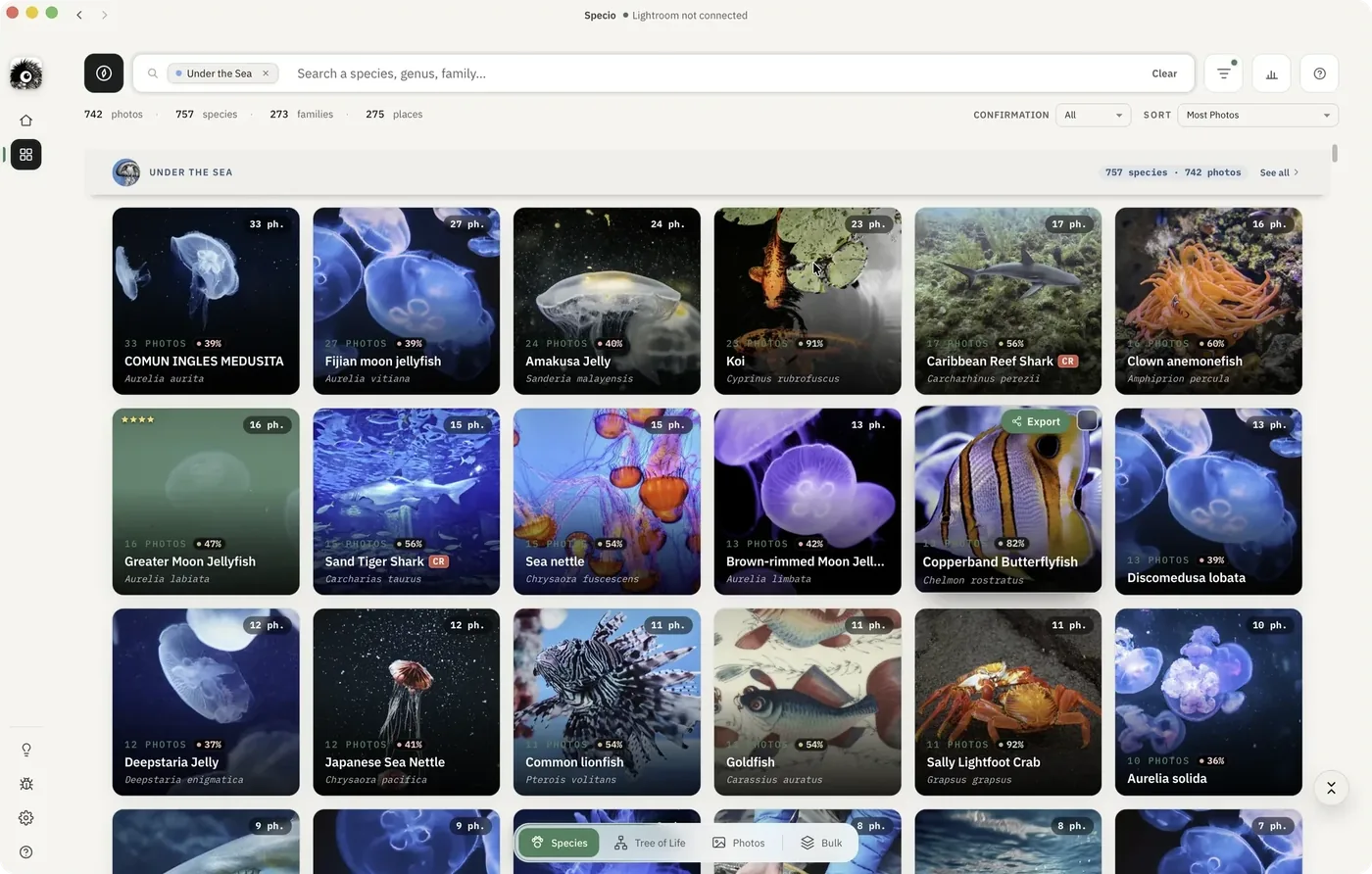
03 · SPECIES
Every species, its own album.
Browse by family, sort by photos or confidence, open any species as a collection of your best shots.
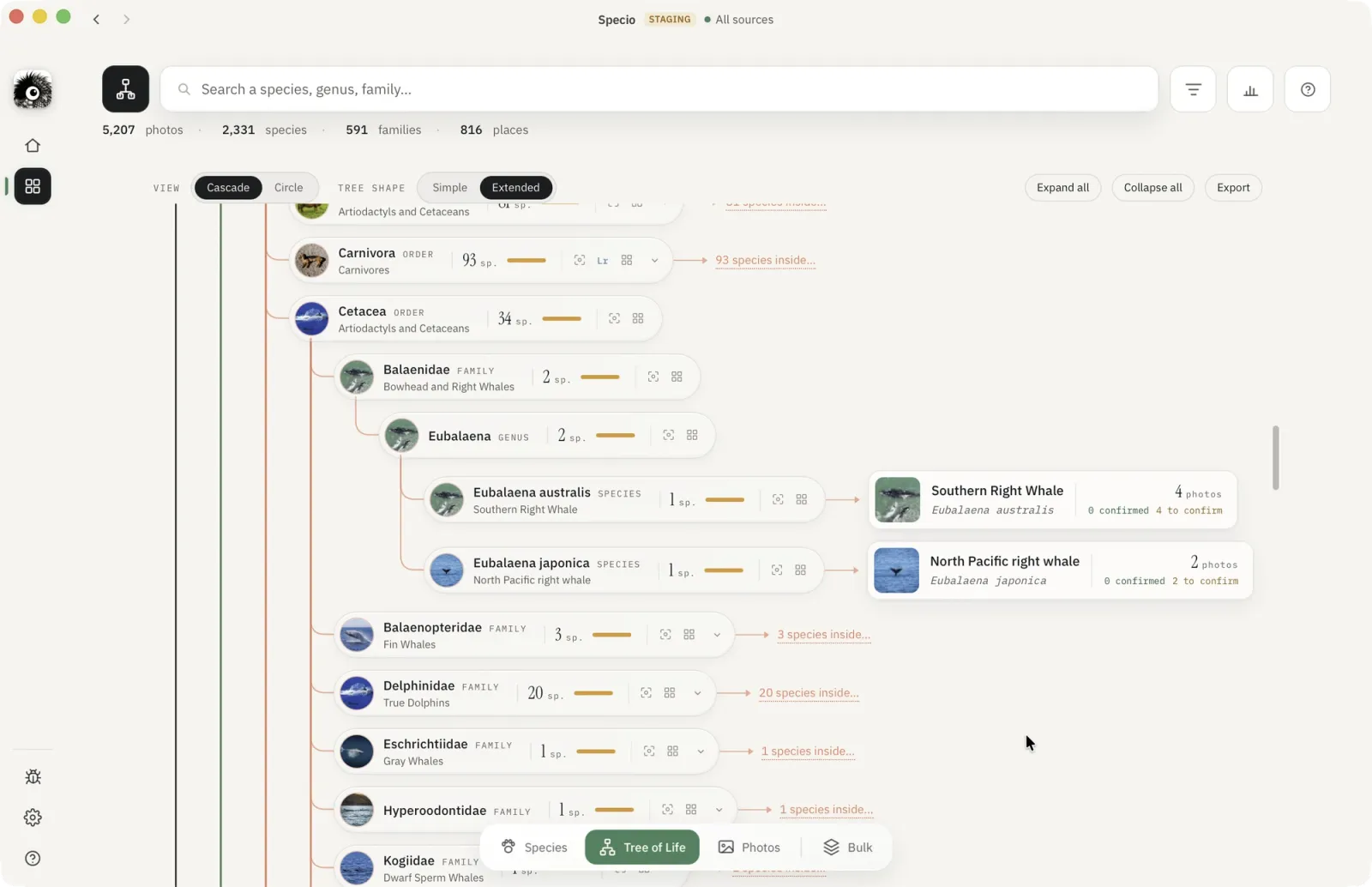
04 · TREE OF LIFE
From kingdom to your photo.
Climb the tree of life, from order and family down to the exact frame you took.
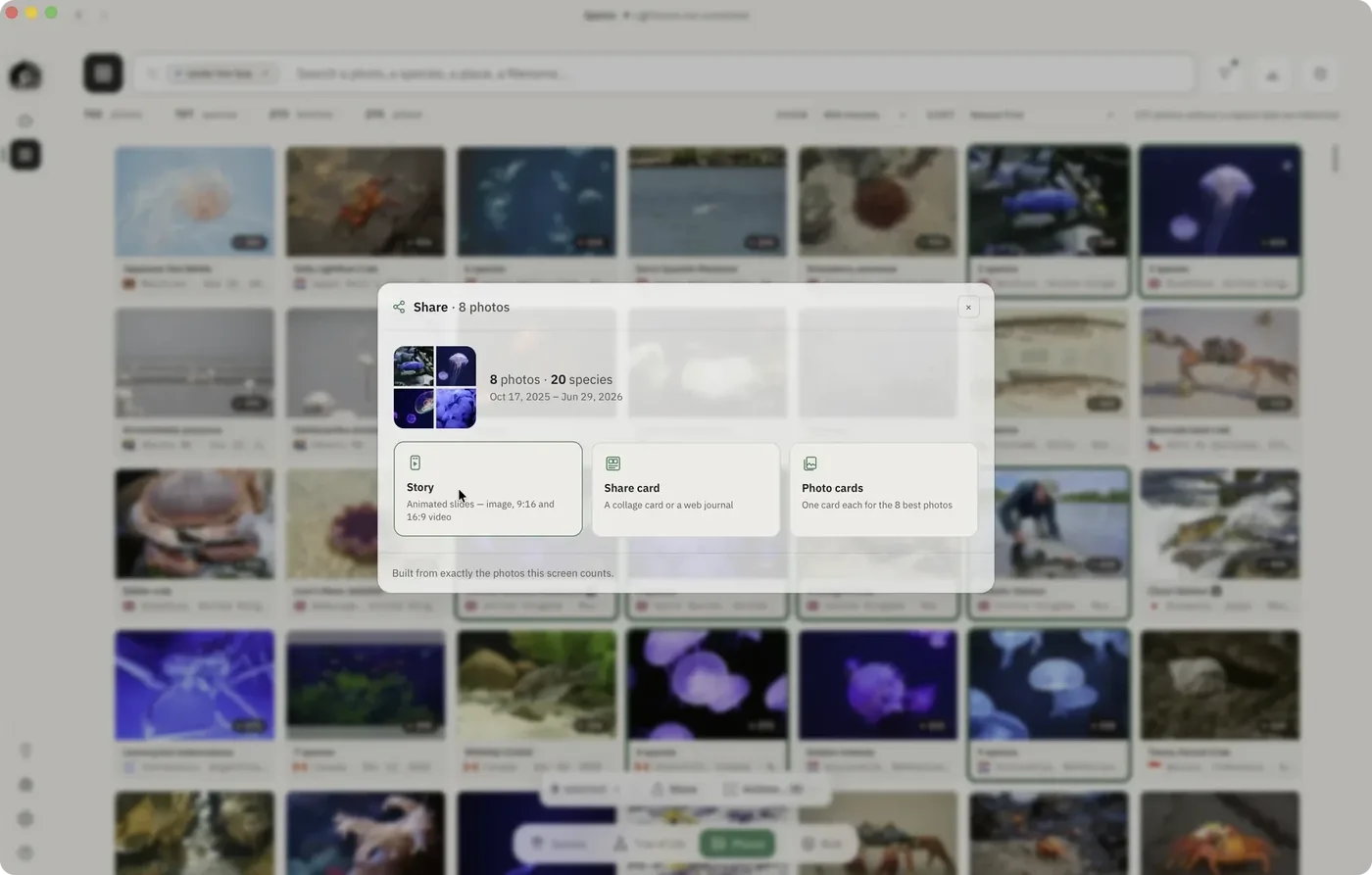
05 · SHARE
Tell the story.
Turn a selection into an animated story, a collage card or a web journal, in one click.
Wildlife photo software built the way photographers actually work
Names, places, keywords, captions and bulk actions — the parts you touch every session.
Common names
Specio carries more than 920,000 common names in 17 languages and 55 regional variants, and you choose the order of your languages — so your keywords read the way you talk about animals, not like a textbook.
Taxonomy updates
Species get renamed, split and merged as science moves on; Specio follows those changes, so the name you learned still finds the right shot — and you choose which common name is displayed.
Location-aware ID
When a file carries GPS, Specio uses the location to separate look-alikes, and a green, amber or red badge tells you at a glance whether that species really lives there.
Keyword sync
Confirm a species and its full lineage is written straight into Lightroom — or an XMP sidecar, a JPEG, a Photos album — at the level of detail you choose, and corrected for you if you change your mind.
Auto captions
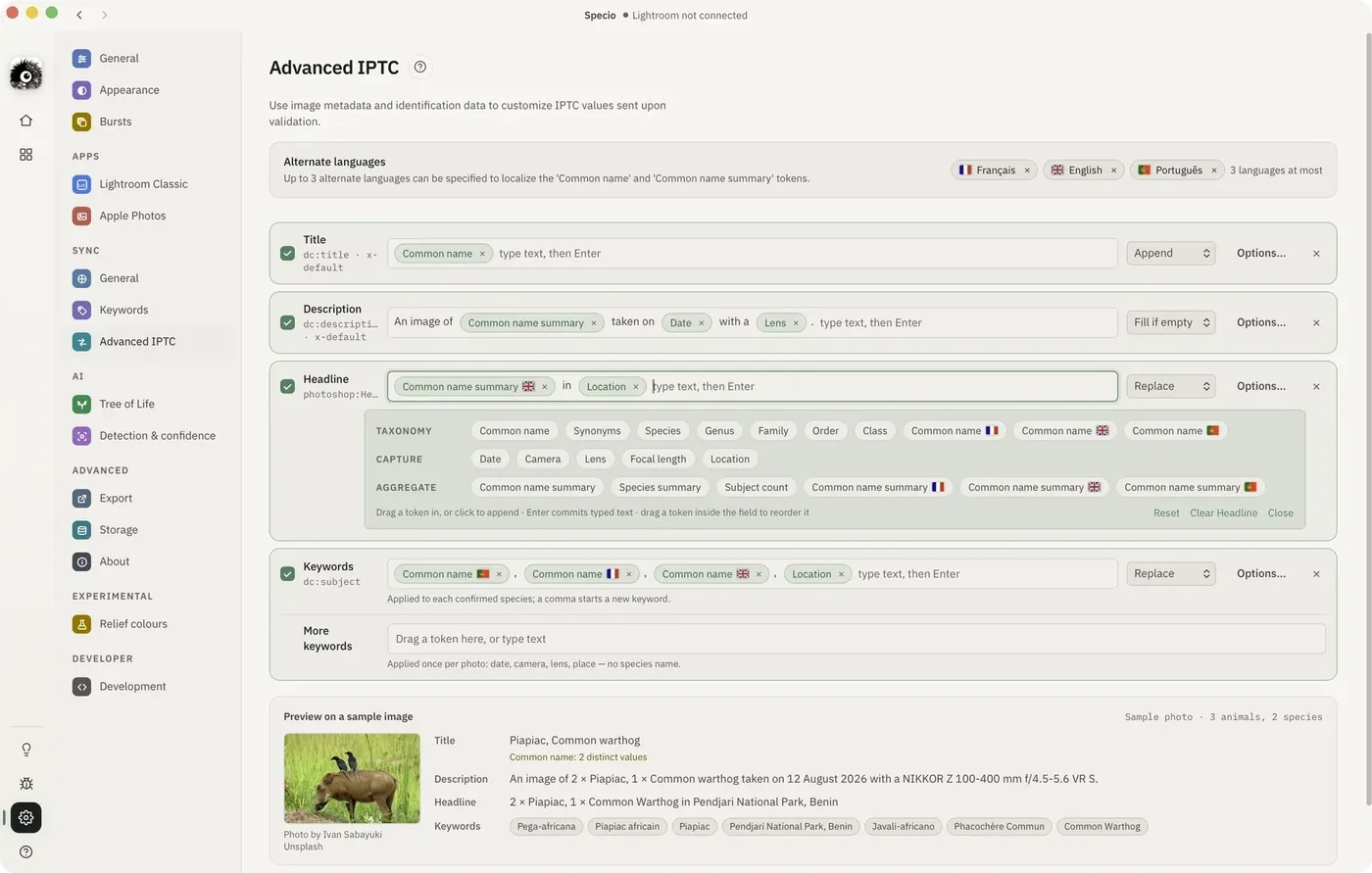
Advanced IPTC
Build your Title, Description, Headline and Keywords from tokens like common name, family, date, lens and location — and every confirmed photo reads "An image of a Griffon Vulture taken on 12 May 2024 with a 600mm f/4."
Field rules
Each field has its own rule: fill if empty, append, replace, or leave alone. Specio remembers what it wrote, so it only ever updates its own values, never a caption you typed.
XMP & IPTC
XMP and the older IPTC block are written together and kept in step — in a sidecar for RAW files, inside JPEG and Photoshop files once you allow it — so Lightroom, Bridge and Peakto all read the same words.
Multi-species frames
When a frame holds several species, you decide whether the caption names them all or only the main subject. One rule, applied to every field.
Manual geotagging
Place one file or a whole selection on the map in a few seconds, and Specio immediately reconsiders which species it was looking at.
Bulk identification
Confirm a whole selection in a single click — and undo it just as fast if you change your mind.
Burst Capture
Confirm species across an entire burst in a single step. Specio analyzes the sequence as a whole to improve identification accuracy and minimize errors in individual frames.
Trips
Trips, found for you
Specio reads where and when each photo was taken and suggests your trips, already split into stages. Nothing is added until you accept it, and photos without GPS are placed at their stage.
Trips
Trip cards
Each trip becomes a card: its route as the picture, dates, days and photos, and one colored pill per family with its number of species. Unfold it to walk through the stages and open any species in one click.
Trips
Share a trip
Turn a trip into an animated story: the route drawing itself, each stage, its species, the rarest ones and your first sightings. Export it as an image, an Instagram carousel, a video or a web journal.
Keywords
Your own thesaurus
New
Import your Lightroom keyword list or a CSV file, and Specio matches each keyword to its species, including old names, typos and genera that have moved. Confirm a species, and Specio writes your own keyword path instead of its own.
Keywords
Keywords in your language
Species, family and order names are written in your language, or in Latin. If your language has no name for a species, Specio uses the next language you read. With Advanced IPTC, you can add up to three more languages.
Keywords
Keywords kept up to date
Change your keyword settings, and Specio rewrites the keywords of every photo you already confirmed, across a whole catalog. It only replaces the keywords it wrote; yours stay exactly as you typed them.
Keywords
Scientific names, done right
Binomials and trinomials are written properly, for example Vulpes vulpes schrencki under Vulpes. A subspecies you confirm gets its own keyword, under its species.
For years we have built tools for creatives. Peakto, our AI-powered media manager, won a NAB Show Product of the Year 2025 award. Specio is what happens when that same team points its attention at wildlife.
Software built to last: you own your license, your files and your data
Still here?
Go on. Try me.
FAQ
Specio questions, answered.
How much does Specio cost?
$99 per species family (birds, mammals, reptiles & amphibians, sea life, insects & arachnids) or $249 for all five. One-time payment, no subscription.
Is there a free trial?
Yes. The trial has no time limit and covers up to 250 photos.
Do my photos leave my computer?
No. Identification runs 100% locally. No photo is ever uploaded.
Which software does it work with?
Lightroom Classic, Apple Photos and plain folders today. Species are written into your keywords without touching your originals. Peakto and Google Photos are coming.
How accurate is it?
Specio recognizes over 450,000 species, shows a confidence score for each match and uses range data from GBIF and eBird to favour species that live where you shot.
Do I have to confirm every species?
No. You can review matches before they are written, but it is optional.
Identify every species in your library, automatically.

 0 catalogs
 0 library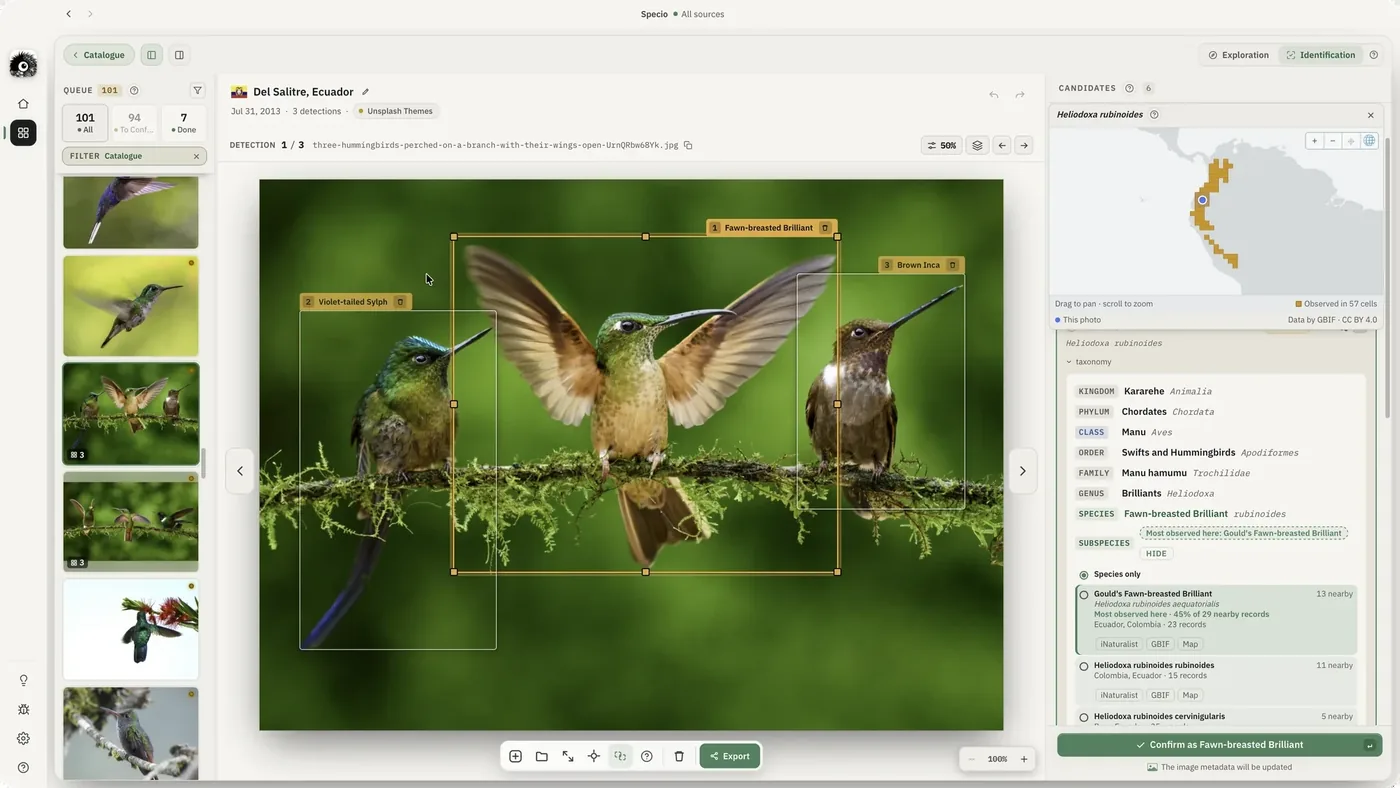
 Meet my subspecies