Portable Monitors for Wildlife Photographers, from Culling Bursts to Exhibiting Your Work
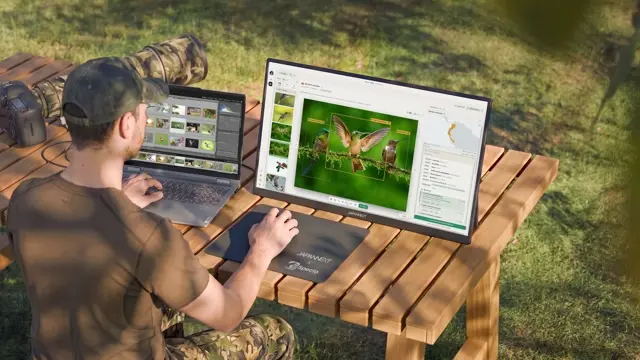
Comparing two frames from a burst after a shoot, checking a detail in a bird’s plumage or presenting a photo series at a workshop. All three are easier when you can see your images on a larger screen. As part of the partnership between CYME and JAPANNEXT, here’s how a portable monitor can fit into a wildlife photographer’s workflow.
What Is a Portable Monitor?
A portable monitor is an external display designed to travel with you and set up wherever you work. Connect it to your laptop to view your photos at a larger size or spread your workspace across two screens. Portable monitors are lightweight and easy to carry.
At CYME, we prefer the JAPANNEXT range, which comes in several sizes. To choose yours, think about where you’ll use it. A smaller screen takes up less room in your bag. A 23.8-inch model, for example, gives you more room to compare photos and still fits in a suitcase. Check the weight and connection options too. If you plan to connect via USB-C, make sure your computer’s port supports video output. Explore the JAPANNEXT portable monitor range
Why Take a Monitor on a Wildlife Photography Trip?
Look for the Detail That Helps You Identify a Species
A pale wing bar, a marking around the eye, the shape of a bill. In wildlife photography, a subtle clue can help you tell two closely related species apart. A larger screen lets you take in the full image, zoom in on the area you want to examine and check whether the same feature appears in another frame. In Specio, this is one way to check a suggested identification against the details visible in your photos. Specio and species identification
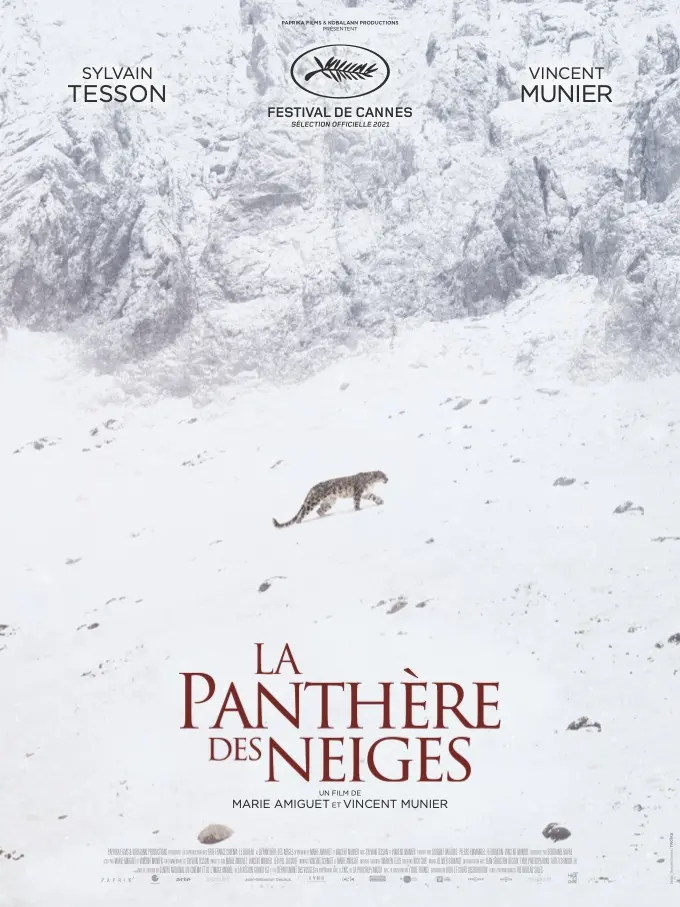
Some images simply reward a longer look. That sense of suspense is at the heart of The Velvet Queen, Vincent Munier and Marie Amiguet’s film. They take us to the Tibetan Plateau in search of a snow leopard whose coat blends into the rock, making it all but invisible to the naked eye. We’ll spare you the ending, but it pays to scan the frame carefully, take another look at the ridgeline and zoom in where a shape just barely stands out. 😉 Interview with Vincent Munier in the film’s press kit
Cull Your Images on the Road
After a session in a hide, two frames taken a fraction of a second apart can look identical as thumbnails. View them full size and you might notice that the eye catches the light in one frame, a wing obscures the head in another, or the background gives the subject a little more breathing room. Wildlife photographer Steve Perry explains how a short burst gives him several expressions or poses to choose from. Sometimes, one frame stands out from the entire sequence. Steve Perry on capturing the right moment in a burst
That’s where a portable monitor comes in handy. Set it up on a table at your lodge and you’re back to a familiar workspace. Keep the grid and your notes on your laptop, then display your shortlisted frames side by side on the monitor. On your first pass, focus on what’s happening in the frame. Once you’ve found your strongest shots, zoom to 100% on the ones you’re still deciding between. Reviewing the day’s images in the evening can also help you prepare for the next morning. If a branch cuts across the subject in every frame, you’ll know what to adjust when you return to the hide.
Show Your Work at Workshops, Exhibitions and Trade Shows
In a workshop, a shared screen gives everyone a chance to talk through a specific choice. Show two compositions of the same scene and ask the group where their eyes go first. Wildlife photographer Tin Man Lee reviews his students’ own files frame by frame, explaining what catches his eye and what weakens the image. It’s an approach you can easily adapt for a group review after a shoot. Tin Man Lee’s wildlife photography mentorship
At an exhibition, a screen next to the prints can show the sequence a photograph came from, a close-up of the subject or how a project unfolded over several seasons. At a trade show booth, it lets you switch from a slideshow to a live demo in seconds.
The 23.8-Inch JAPANNEXT Monitor We Take to Trade Shows
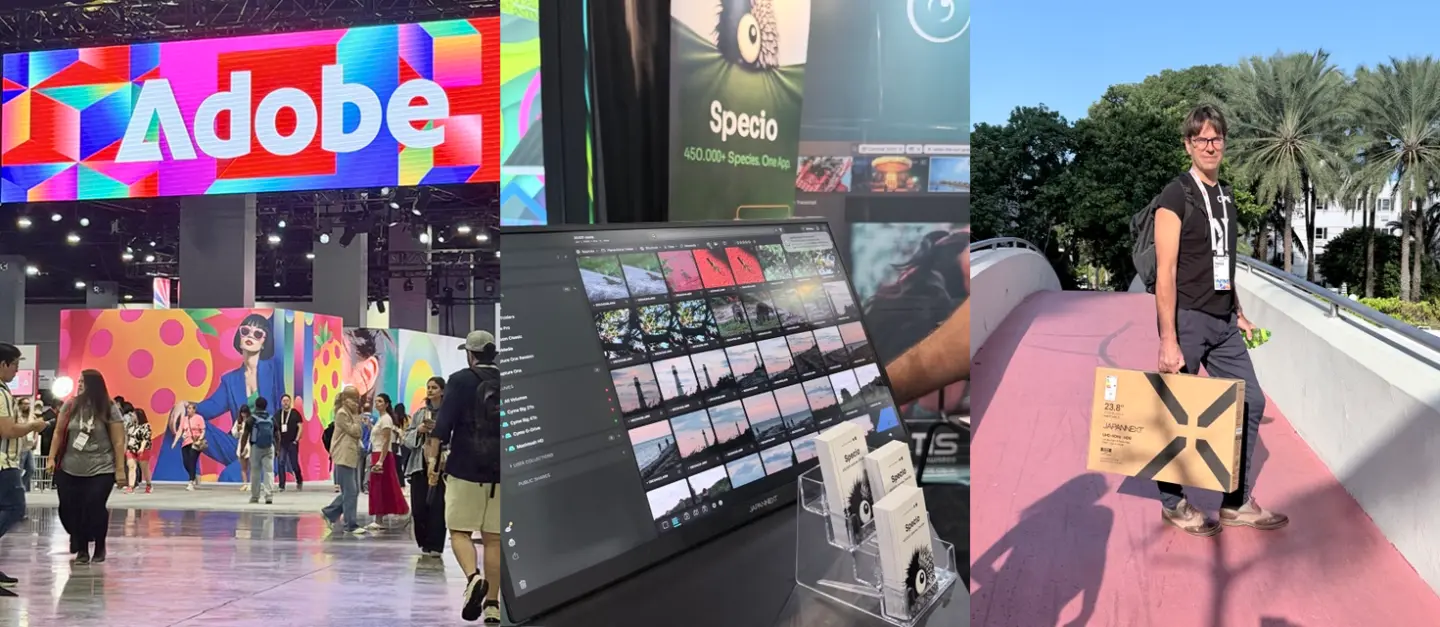
At CYME, we’ve tested several portable monitors, and JAPANNEXT models are the ones we take to trade shows. Our favorite is the JAPANNEXT 23.8-inch IPS 4K UHD HDR portable monitor. It fits easily in our luggage. Once we arrive, we fold out the stand, set it on a table and we’re ready to go. We like how easy it is to set up and how good the image looks, whether we’re showing a photograph on the big screen or demoing Specio.
With a 23.8-inch panel, a resolution of 3,840 × 2,160 pixels and USB-C and HDMI inputs, it’s a size that works well for us whenever we have a table to set up on. The monitor weighs 2.5 kg, a useful detail if you’re deciding between a screen for the lodge or trade show booth and a more compact model for traveling light. Explore the JAPANNEXT 23.8-inch IPS 4K UHD HDR portable monitor